Why is my Figma file so slow? How to make it fast
A Figma file that takes ages to open or lags while you work is usually carrying weight you can't see: photos imported far larger than they're shown, hidden layers that still hold images, and heavy blurs and shadows.
The fix: Heft
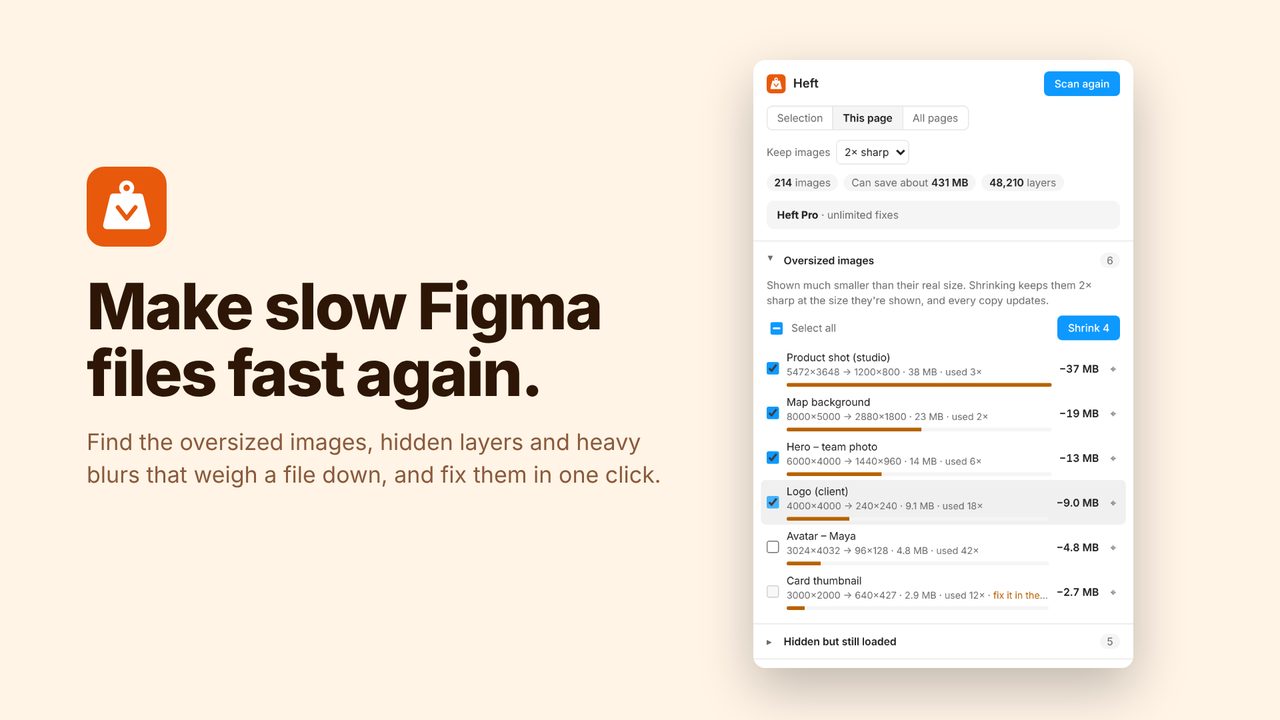
Heft scans the file and shows what's making it heavy. It shrinks oversized images to the size they're actually shown (every copy updates), removes hidden layers that still hold images, clears switched-off fills and effects, and ranks the heaviest effects and busiest pages so you know what to simplify.
How to use it
- Run Heft from the Plugins menu in any Figma file.
- Review what it found, sorted by how much each fix saves.
- Click Fix, or fix everything at once. Undo works as usual.
Price
Free: unlimited scans and 5 fixes a day. Pro: unlimited fixes, $5/month or $36/year.
Questions
Does shrinking images make them blurry?
No. Images are kept at 2× (or 3×) the size they're displayed, so they stay sharp on high-resolution screens.
Does my file leave Figma?
No. Everything runs inside Figma; nothing is uploaded.