How to export a small PDF from Figma
Figma's own PDF export of a deck with images, shadows or blurs can run to tens or hundreds of megabytes, too big to email or upload.
The fix: Slim PDF
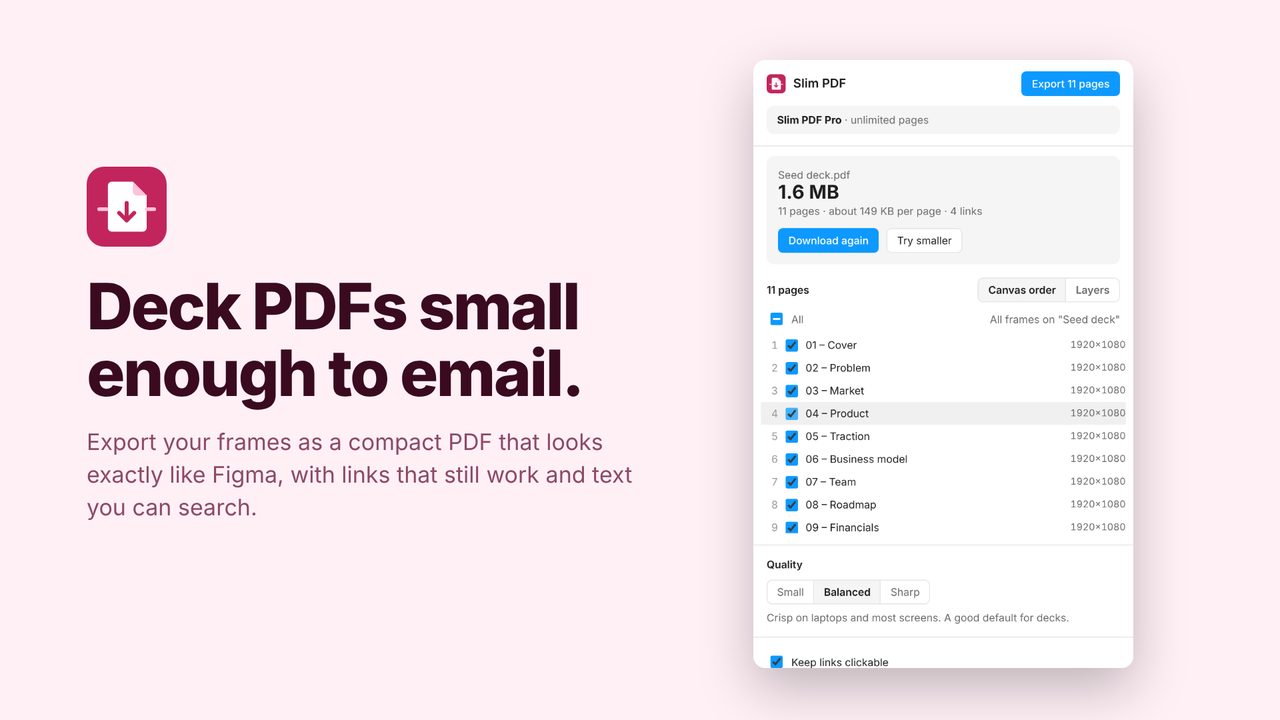
Slim PDF exports your frames as one compact PDF, one page per frame, at the quality you pick: Small, Balanced or Sharp. Web links stay clickable, links between slides jump to the right page, and the text stays searchable.
In review at Figma. It will be on the Figma Community soon. Subscribe for updates to hear the day it's out.
How to use it
- Select the frames to export, or let Slim PDF use every frame on the page.
- Pick Small, Balanced or Sharp and check the order.
- Click Export and save the PDF.
Price
Free: PDFs up to 10 pages. Pro: any length, $5/month or $36/year.
Questions
Can the text be edited in the PDF?
No. Pages are saved as compressed images, which is what keeps them small; the text is still searchable and copyable.
How small is small?
In testing, a 5-slide deck came to about 350 KB on Small and 700 KB on Balanced.