How to merge duplicate styles and variables in Figma
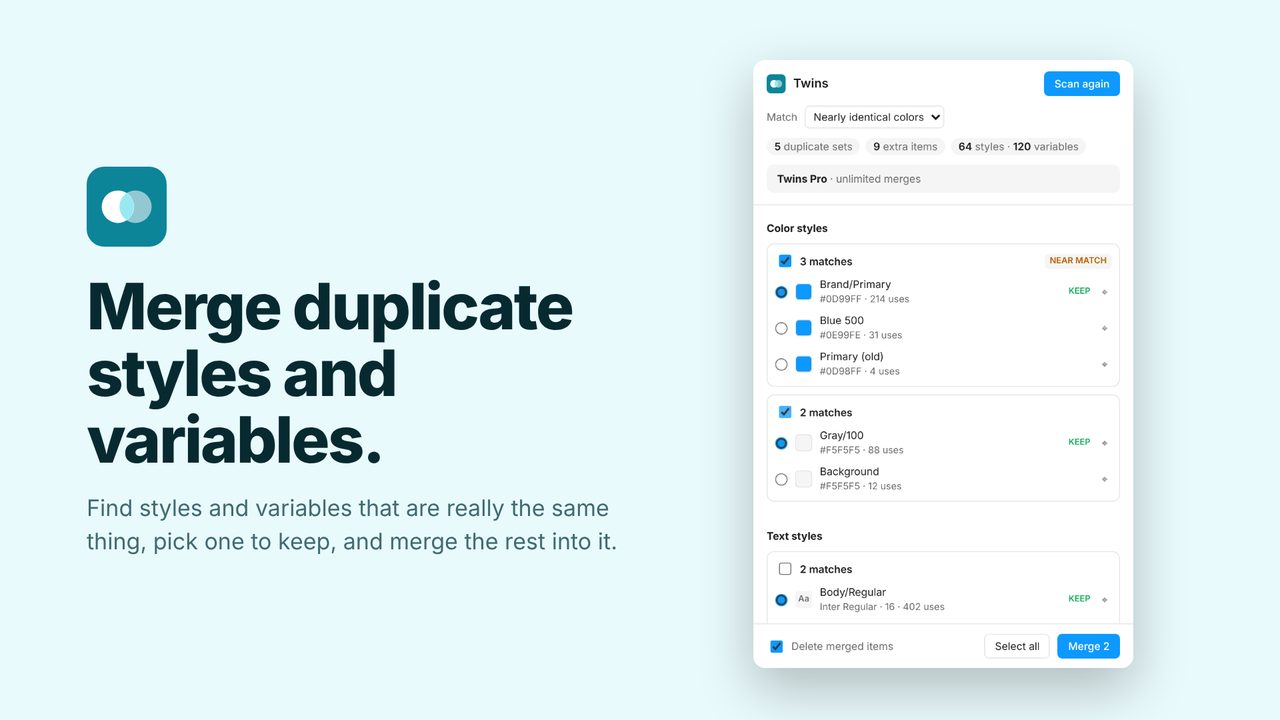
Over time a file collects styles and variables that are really the same: two color styles set to #F5F5F5, two identical text styles, colors one shade apart.
The fix: Twins
Twins finds the duplicates and near-duplicates. You pick the one to keep; every layer, style and variable using the others switches to it, and the extras are deleted.
In review at Figma. It will be on the Figma Community soon. Subscribe for updates to hear the day it's out.
How to use it
- Run Twins from the Plugins menu.
- Review each group of duplicates and pick the one to keep.
- Merge. Undo works as usual.
Price
Free: unlimited scans and 5 merges a day. Pro: unlimited merges, $5/month or $36/year.
Questions
What counts as a near-duplicate?
Colors that differ by a tiny amount, like #0D99FF and #0E99FE. You decide whether to merge them.